How much of a luxury automation system keeps working when the power or internet goes out?
An outage is the honest test of a system's architecture. What survives depends on how much control lives locally, and on which circuits sit behind the batteries and the generator.
Two different outages, two different failures
Losing the internet and losing power are separate events with separate consequences, and conflating them is the reason so many owners are surprised on the night it happens. When only the internet drops, a properly architected system loses remote access from away, voice assistants, streaming services, weather driven triggers, and push notifications. It should not lose wall keypads, lighting scenes, shade groups, thermostat schedules, or door hardware, because those depend on a local processor sitting on the home network rather than on a distant server. Cloud first products behave differently: certain thermostats, locks, cameras, and wireless bulbs degrade or go inert entirely without their maker's service. Related: What core systems should a premium smart home integration genuinely prioritize first?
A power outage tests something else. Almost everything stops, and the interesting question becomes what comes back, in what order, and in what state. Lighting control panels should remember their last state or return to a defined safe condition, shades should not all travel at once when power returns, and processors should boot in an order that lets the network settle before dependent devices look for it. Restoration also brings surges and voltage sags that damage electronics more often than the outage itself, which is why protection strategy belongs in the same conversation as backup power.
Keep reading: How do you plan luxury whole-home automation for a large private residence?, What core systems should a premium smart home integration genuinely prioritize first?, Which control interfaces work best for an intuitive luxury whole-home automation experience?. See how Smarthausr helps you an expert guide to whole-home luxury automation.
How much control actually lives locally
There is a simple test for any proposed design, and it is worth asking a prospective integrator to demonstrate it: unplug the router and see whether you can still operate the lights from the wall, close the shades, change the temperature, and unlock the front door. Systems built around a local processor, wired keypads, load control panels, hardwired thermostats, a local video recorder, and local network services will pass. Systems assembled from wireless devices that each phone home to a different service will not, and no amount of programming afterward can fix that arrangement. Ask for a written list of which functions require the internet before anything is purchased. Related: Which control interfaces work best for an intuitive luxury whole-home automation experience?
Physical fallbacks matter just as much as architecture. Engraved keypads with real scene buttons beat an app-only interface on the worst night of the year, and every perimeter opening should have a documented mechanical override: a key cylinder on the lock, a release on the gate operator, a manual crank or local group control for critical shades. Thermostats should hold their own onboard schedule rather than depending on the processor for basic comfort. A guest or a housekeeper needs a way to operate the essential rooms without an account, a password, or a phone call to the integrator.
Batteries, circuits, and standby power
A pure sine wave uninterruptible power supply belongs on the head end and on the network, and its runtime is normally measured in tens of minutes rather than hours. That is enough to ride out brief interruptions invisibly and, just as importantly, to shut equipment down cleanly instead of dropping processors and storage mid write. One detail is missed constantly: the modem or fiber terminal must be on protected power too, since a rack that stays alive behind a dead internet demarcation still leaves the household without remote access. Batteries age, typically needing replacement every few years, so put that on the service calendar and enable low battery alerts.
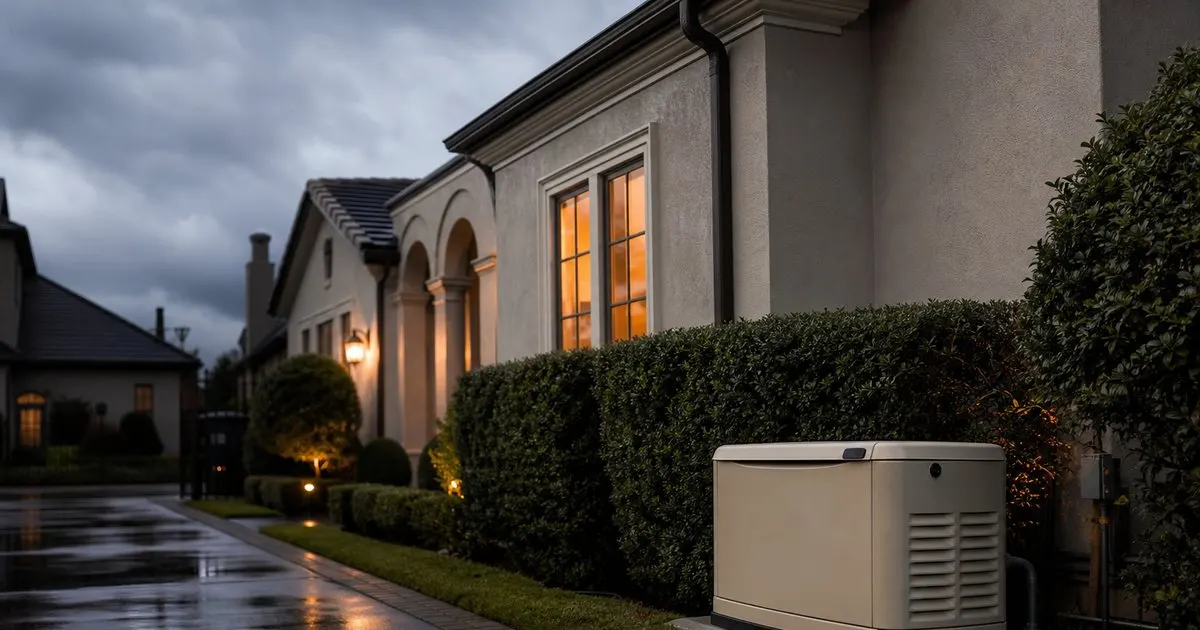
For longer outages the answer is a standby generator with a properly configured transfer switch, and the automation designer should be in the room when the electrician chooses which loads it carries. The equipment room, the network path, the security system, the well pump, refrigeration, and at least one or two conditioned zones usually qualify as essential; whole property landscape lighting rarely does. Generator power quality varies, so sensitive electronics should stay behind conditioning and surge protection even when the generator is running. Layer that protection, with a device at the service panel and another at the rack, and remember that repeated brownouts damage equipment more quietly and more often than outright outages. Related: Why does wired infrastructure still matter in a high-end smart home system?
Failover, testing, and proof at handover
Cellular failover deserves consideration on two fronts. Monitored security systems normally include a cellular path for alarm signals, and a separate router based failover can keep remote access, cameras, and notifications alive during a broadband fault. Configure it for essential traffic only, otherwise a large cloud backup or a video stream will consume the data plan within hours of taking over. On properties where the internet fails often, or where the residence is unoccupied for long stretches, a genuinely independent second circuit from another provider is worth pricing against the cost of a wasted trip. Related: How do you plan luxury whole-home automation for a large private residence?
None of this can be taken on trust. Ask for a demonstrated outage test at handover: disconnect the internet, then interrupt power to the equipment room under controlled conditions, and watch together what stops, what continues, and what state the house returns to when everything comes back. The expected behavior should be written into the homeowner documentation room by room, in plain language, along with the location of every manual override. Repeat that test annually as part of the service agreement and after any significant firmware update, since a platform change can quietly move a function that used to work locally into the cloud.
- Internet loss and power loss fail differently: one removes remote access and cloud devices, the other tests batteries, generator priorities, and restart behavior.
- The honest test of a design is whether keypads, shades, thermostats, and locks still work with the router unplugged.
- Put the modem or fiber terminal, the network, and the head end on a pure sine wave UPS, and involve the automation designer in choosing generator loads.
- Require a demonstrated outage test at handover, document expected behavior room by room, and repeat the test every year.

Julien Jimenez
Julien Jimenez is an independent software builder based in Paris. He designs, ships, and operates focused SaaS products for small businesses and independent professionals. Read the full author page.
A Home That Anticipates You
An expert guide to whole-home luxury automation. Smarthausr is built to help you put this into practice.
Plan your homeMore from the Smarthausr blog
How do you plan luxury whole-home automation for a large private residence?
What core systems should a premium smart home integration genuinely prioritize first?
Which control interfaces work best for an intuitive luxury whole-home automation experience?
Get the complete luxury whole-home automation guide
Our full buying guide, the price guide, and new research as we publish it. One email, no spam, unsubscribe any time.